Blocking vs Non-Blocking Code in Node.js
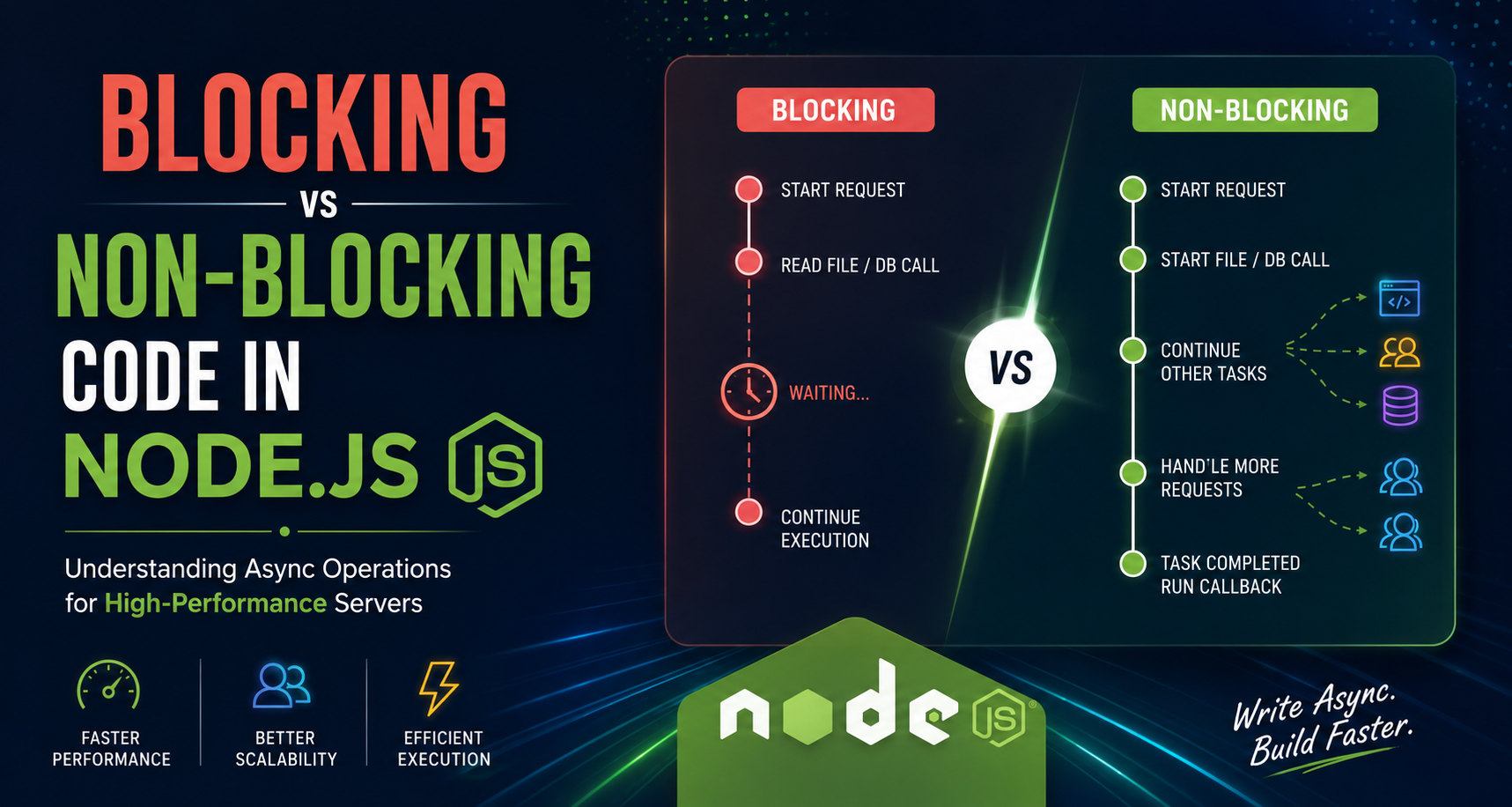
Modern web applications are expected to handle thousands of users at the same time. One of the biggest reasons why Node.js performs so well is its non-blocking architecture.
In this blog, we will understand:
What blocking code means
What non-blocking code means
Why blocking slows servers
Async operations in Node.js
Real-world examples
Performance comparison using file handling
What is Blocking Code?
Blocking code stops the execution of the program until a task is completed.
This means:
The next line of code must wait
The server cannot handle another request during that time
Everything pauses until the current operation finishes
Simple Analogy
Imagine you are cooking noodles.
Blocking Style
You stand near the stove waiting for noodles to cook.
You do nothing else until cooking is complete.
Only after that can you continue other work.
This is exactly how blocking code behaves.
Blocking Code Example in Node.js
const fs = require("fs");

console.log("Start");

const data = fs.readFileSync("demo.txt", "utf8");

console.log(data);

console.log("End");
Output
Start
(File content printed)
End
What Happens Here?
readFileSync()is synchronousNode.js waits until the file is fully read
Only then it moves to the next line
The execution is completely paused during file reading.
What is Non-Blocking Code?
Non-blocking code allows the program to continue execution while a task runs in the background.
Instead of waiting:
Node.js starts the task
Continues executing other code
Executes callback/function when task finishes
This is the core power of Node.js.
Non-Blocking Analogy
Again think about cooking noodles.
Non-Blocking Style
You put noodles on the stove and set a timer.
While noodles cook:
You cut vegetables
Wash dishes
Prepare sauce
When noodles are ready, you come back.
This is how non-blocking code works.
Non-Blocking Code Example
const fs = require("fs");

console.log("Start");

fs.readFile("demo.txt", "utf8", (err, data) => {
    if (err) {
        console.log(err);
        return;
    }

    console.log(data);
});

console.log("End");
Output
Start
End
(File content printed later)
What Happens Here?
readFile()starts file readingNode.js does NOT wait
It immediately continues execution
Callback runs after file reading completes
This improves speed and efficiency.
Blocking vs Non-Blocking Execution Timeline
Blocking Execution
Start Request
      ↓
Read File
(waiting...)
(waiting...)
(waiting...)
      ↓
Continue Execution
Everything stops while the file is being read.
Non-Blocking Execution
Start Request
      ↓
Start File Read
      ↓
Continue Other Tasks
      ↓
Handle More Requests
      ↓
File Read Completed
      ↓
Run Callback Function
The server remains free to perform other work.
Why Blocking Code Slows Servers
In real-world applications:
Multiple users send requests simultaneously
Servers need to respond quickly
Waiting wastes server time
Problem with Blocking Code
Suppose:
One file takes 5 seconds to read
During those 5 seconds, server is stuck
Other users must wait
This creates:
Slow responses
Poor scalability
Bad user experience
Why Node.js Prefers Non-Blocking Operations
Node.js is built on:
Event Loop
Callbacks
Async programming
Its goal is:
Handle many users using minimal resources.
Instead of creating multiple threads for every request, Node.js uses asynchronous operations.
This makes it:
Fast
Lightweight
Scalable
Async Operations in Node.js
Node.js supports several async patterns.
1. Callbacks
fs.readFile("demo.txt", "utf8", (err, data) => {
    console.log(data);
});
2. Promises
const fs = require("fs").promises;

fs.readFile("demo.txt", "utf8")
    .then(data => console.log(data))
    .catch(err => console.log(err));
3. Async/Await
const fs = require("fs").promises;

async function readData() {
    try {
        const data = await fs.readFile("demo.txt", "utf8");
        console.log(data);
    } catch (err) {
        console.log(err);
    }
}

readData();
Async/Await makes asynchronous code look cleaner and easier to read.
Real-World Examples of Non-Blocking Operations
1. File Reading
When uploading files:
Server should continue handling other users
Non-blocking operations prevent delays
Example:
Image uploads
PDF processing
Video handling
2. Database Calls
Fetching data from databases takes time.
Example:
db.users.find({}, (err, users) => {
    console.log(users);
});
Node.js does not stop the server while waiting for database response.
3. API Requests
When calling external APIs:
fetch("https://api.example.com/data")
Node.js continues serving other requests while waiting for API response.
Performance Comparison
| Feature | Blocking Code | Non-Blocking Code |
|---|---|---|
| Execution | Waits for task completion | Continues execution |
| Speed | Slower | Faster |
| Scalability | Poor | Excellent |
| User Handling | Limited | High |
| Resource Usage | Higher | Efficient |
When Should Blocking Code Be Used?
Blocking code is not always bad.
It can be useful for:
Small scripts
Simple command-line tools
Startup configurations
But for production servers, non-blocking code is preferred.
Key Advantages of Non-Blocking Node.js
Better Performance
Server handles more users simultaneously.
Faster Responses
Requests do not wait unnecessarily.
Efficient Resource Usage
Minimal thread usage saves memory and CPU.
Scalability
Perfect for:
Chat apps
Streaming apps
APIs
Real-time systems
Conclusion
Blocking and non-blocking code are fundamental concepts in Node.js.
Blocking Code
Waits for task completion
Slows down server performance
Reduces scalability
Non-Blocking Code
Continues execution without waiting
Uses async operations
Makes Node.js highly scalable and fast
This non-blocking architecture is one of the biggest reasons why Node.js is widely used for modern backend development.
As a Node.js developer, understanding asynchronous programming is essential for building high-performance applications.
Final Thoughts
Whenever possible:
✅ Prefer async operations
✅ Use non-blocking APIs
✅ Avoid synchronous functions in production servers
Because faster servers create better user experiences.
Thank you for reading ❤️