Async Code in Node.js: Callbacks and Promises
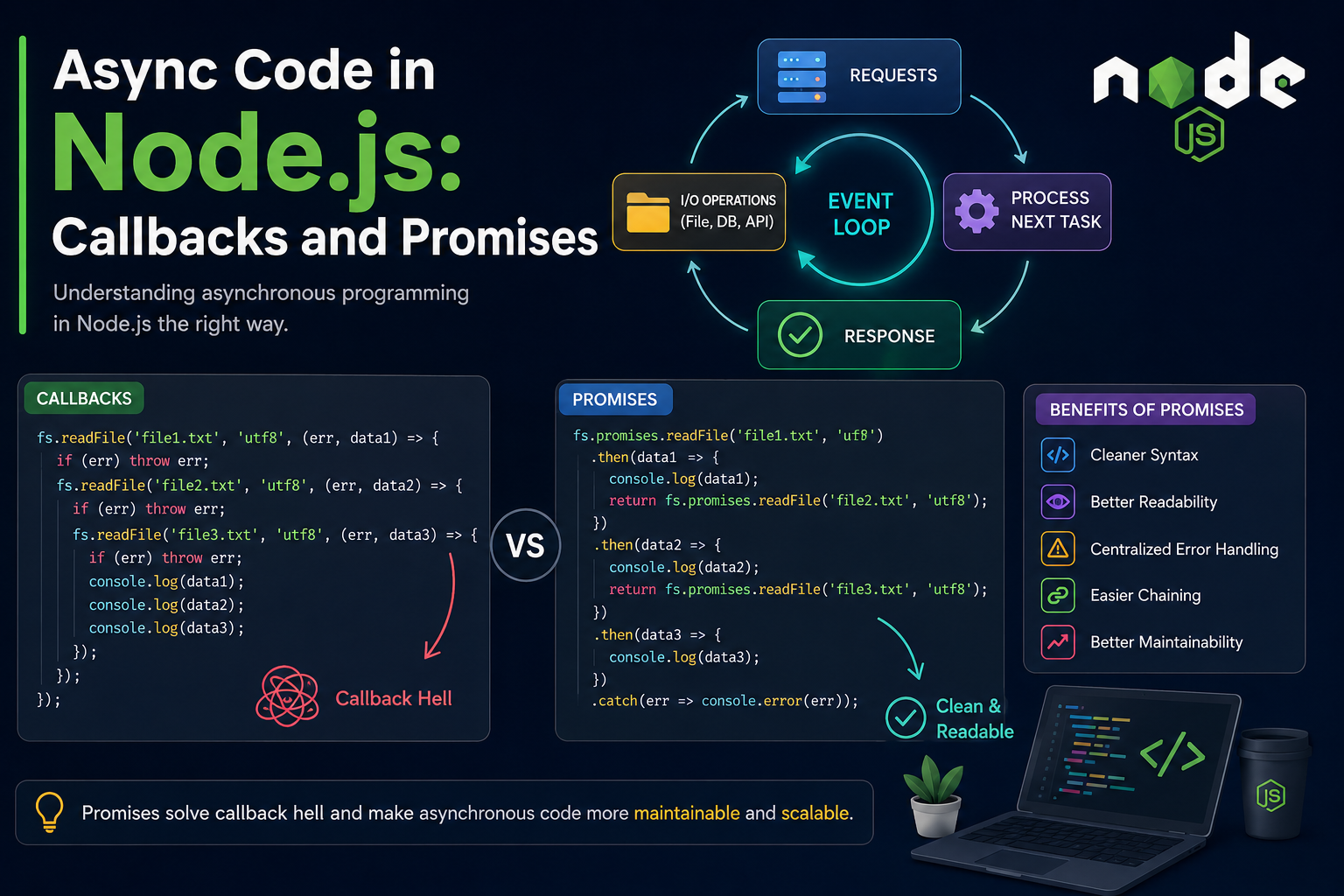
Node.js is famous for being fast and efficient. One of the biggest reasons behind this speed is its asynchronous nature. Instead of waiting for one task to finish before starting another, Node.js can continue executing other operations while time-consuming tasks run in the background.
In this blog, we’ll understand:
Why async code exists in Node.js
Callback-based asynchronous execution
Problems with nested callbacks
Promise-based async handling
Benefits of promises
Callback vs Promise readability comparison
What is Asynchronous Code?
Asynchronous code means:
A task starts now and finishes later, while the program continues running other code.
This is extremely useful for operations like:
Reading files
Database queries
API calls
Fetching data from servers
Uploading files
These operations take time, and Node.js does not want the entire application to stop while waiting.
Why Async Code Exists in Node.js
Node.js uses a single-threaded event loop architecture.
That means:
Node.js runs on a single main thread
If one task blocks the thread, everything stops
Async programming prevents blocking
Imagine this situation:
A server receives 1000 users
One user requests a large file
If Node.js waited synchronously, all users would wait
Instead, Node.js handles file reading asynchronously and keeps serving other users.
This makes Node.js:
Fast
Scalable
Efficient for real-time applications
File Reading Example Scenario
Suppose we have a file named:
data.txt
Content:
Welcome to Async Programming in Node.js
Now let's read this file asynchronously.
Callback-Based Async Execution
Callbacks were the original way of handling asynchronous code in Node.js.
A callback is simply:
A function passed into another function to run later.
Reading File Using Callback
const fs = require("fs");

console.log("Start");

fs.readFile("data.txt", "utf8", (err, data) => {
    if (err) {
        console.log("Error:", err);
        return;
    }

    console.log("File Content:");
    console.log(data);
});

console.log("End");
Output
Start
End
File Content:
Welcome to Async Programming in Node.js
Step-by-Step Callback Flow
Step 1
console.log("Start");
Prints:
Start
Step 2
fs.readFile(...)
Node.js starts reading the file in the background.
It does NOT wait.
Step 3
console.log("End");
Runs immediately.
Output:
End
Step 4
After file reading completes, callback executes.
(err, data) => {
   console.log(data);
}
Finally prints file content.
Callback Execution Chain Diagram
Program Starts
      |
      v
console.log("Start")
      |
      v
fs.readFile() starts
      |
      |---- File reading happens in background
      |
      v
console.log("End")
      |
      v
File reading completed
      |
      v
Callback function executes
      |
      v
Display file content
Problems with Nested Callbacks
Callbacks work fine for small tasks.
But when multiple async operations depend on each other, code becomes messy.
This problem is called:
Callback Hell
Example of Callback Hell
const fs = require("fs");

fs.readFile("file1.txt", "utf8", (err, data1) => {

    if (err) {
        console.log(err);
        return;
    }

    fs.readFile("file2.txt", "utf8", (err, data2) => {

        if (err) {
            console.log(err);
            return;
        }

        fs.readFile("file3.txt", "utf8", (err, data3) => {

            if (err) {
                console.log(err);
                return;
            }

            console.log(data1);
            console.log(data2);
            console.log(data3);

        });

    });

});
Why Callback Hell is Bad
1. Difficult to Read
Code keeps moving toward the right side.
2. Hard to Debug
Finding errors becomes difficult.
3. Poor Maintainability
Large projects become confusing.
4. Repeated Error Handling
Same error checks repeated everywhere.
Promise-Based Async Handling
Promises were introduced to solve callback hell.
A Promise represents:
A value that may be available now, later, or never.
Promise States
A Promise has 3 states:
1. Pending
Operation still running.
2. Fulfilled
Operation completed successfully.
3. Rejected
Operation failed.
Promise Lifecycle Flow Diagram
            Promise Created
                   |
             ----------------
             |              |
         Pending        (waiting)
             |
     -----------------
     |               |
 Fulfilled        Rejected
(success)          (error)
Reading File Using Promises
Node.js provides promise-based file handling using:
fs.promises
Example:
const fs = require("fs").promises;

console.log("Start");

fs.readFile("data.txt", "utf8")
    .then((data) => {
        console.log("File Content:");
        console.log(data);
    })
    .catch((err) => {
        console.log("Error:", err);
    });

console.log("End");
Output
Start
End
File Content:
Welcome to Async Programming in Node.js
Understanding Promise Flow
Step 1
fs.readFile()
Returns a Promise object.
Step 2
.then()
Runs when operation succeeds.
Step 3
.catch()
Runs when operation fails.
Solving Callback Hell Using Promises
const fs = require("fs").promises;

fs.readFile("file1.txt", "utf8")
    .then((data1) => {
        console.log(data1);

        return fs.readFile("file2.txt", "utf8");
    })
    .then((data2) => {
        console.log(data2);

        return fs.readFile("file3.txt", "utf8");
    })
    .then((data3) => {
        console.log(data3);
    })
    .catch((err) => {
        console.log(err);
    });
Benefits of Promises
1. Cleaner Syntax
Promises avoid deep nesting.
2. Better Readability
Code looks more organized.
3. Centralized Error Handling
Single .catch() handles errors.
4. Easier Chaining
Async operations can be chained smoothly.
5. Better Maintainability
Large applications become easier to manage.
Callback vs Promise Readability
Callback Version
loginUser(username, password, (user) => {

    getPosts(user.id, (posts) => {

        getComments(posts[0], (comments) => {

            console.log(comments);

        });

    });

});
Problems:
Deep nesting
Hard to read
Difficult debugging
Promise Version
loginUser(username, password)
    .then((user) => getPosts(user.id))
    .then((posts) => getComments(posts[0]))
    .then((comments) => console.log(comments))
    .catch((err) => console.log(err));
Advantages:
Cleaner structure
Easier flow understanding
Better scalability
Real-World Uses of Async Code
Async programming is used in:
API requests
Database operations
Authentication systems
Chat applications
File uploads
Streaming platforms
Real-time applications
When to Use Callbacks
Callbacks are okay for:
Very small tasks
Simple async operations
Event listeners
Example:
button.addEventListener("click", () => {
    console.log("Button clicked");
});
When to Use Promises
Promises are better for:
Complex async operations
Multiple dependent tasks
API handling
Modern backend development
Modern Node.js Trend
Today, developers mostly use:
Promises
async/await
because they make asynchronous code cleaner and easier to understand.
Conclusion
Asynchronous programming is one of the core strengths of Node.js.
Callbacks introduced async behavior but created problems like callback hell in larger applications.
Promises improved async programming by:
Making code cleaner
Improving readability
Simplifying error handling
Reducing nesting
Understanding callbacks and promises is essential for every Node.js developer because almost every backend application relies heavily on asynchronous operations.
Final Thoughts
If you are starting Node.js development:
Learn callbacks first
Understand how async flow works
Move to promises
Then master async/await
That progression helps build strong backend fundamentals.
Happy Coding 🚀